An AI builder for real mobile apps · private alpha
“It’s a simple app.”
You’ve said it, or heard it. Then come sign-in, lists, forms, settings, a privacy policy and two stores.
Mekkapp plans the app with you, writes it in React Native, checks every file, and hands you the code.
- Expo and TypeScript
- Type-checked before you see it
- Your code, your Supabase
Your words
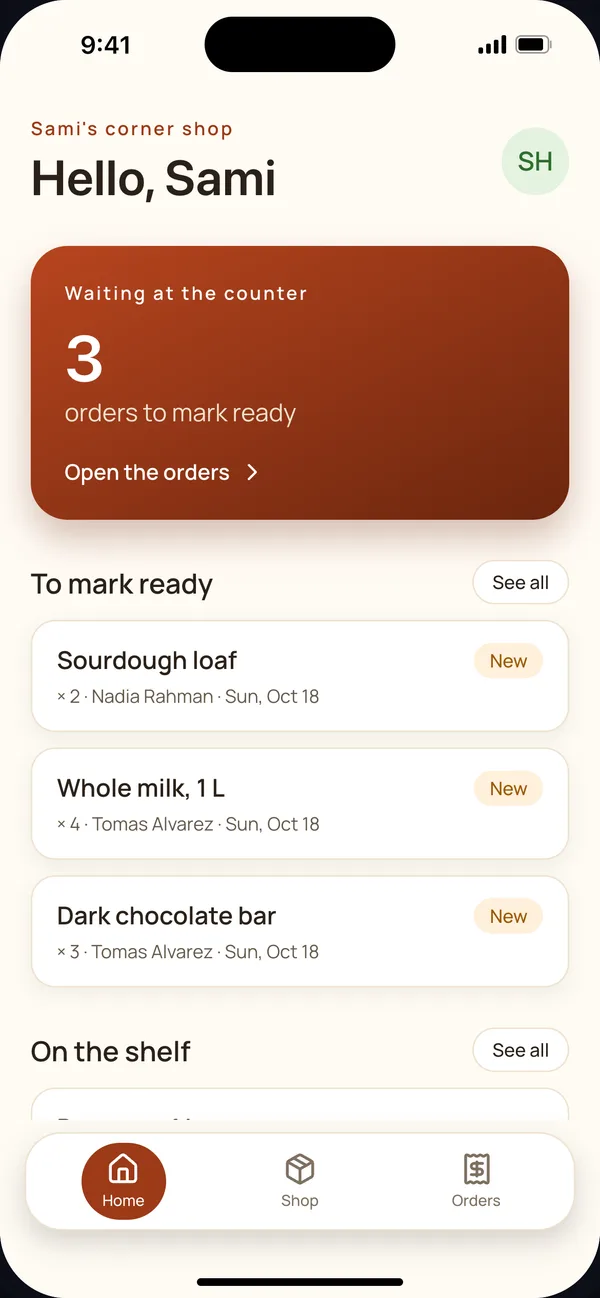
“An app for my corner shop. Customers order from home, and I mark each order ready.”
The plan
Home
Tab · Home
NewOrders
Tab · Orders
NewNew order
Under Home
NewThe app
The code
// shortened
import {List} from '@/components/ui';
import {OrderCard} from '@/components/app';
import {useFind, useRows} from '@/data';

export default function OrdersScreen() {
  const find = useFind('order_items', {filter: 'status'});
  const orders = useRows('order_items', find.rows);
  return (
    <List
      rows={orders}
      {...find.list}
      renderRow={order => <OrderCard row={order} />}
    />
  );
}
Made with Mekkapp
A few sentences in, an app out
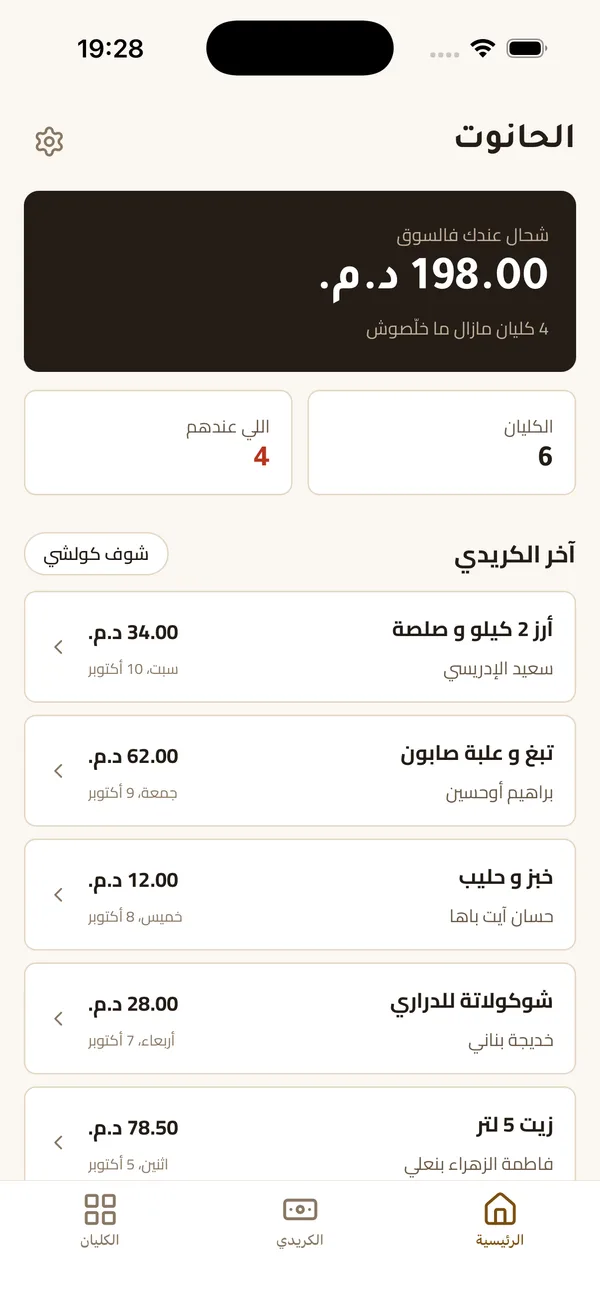
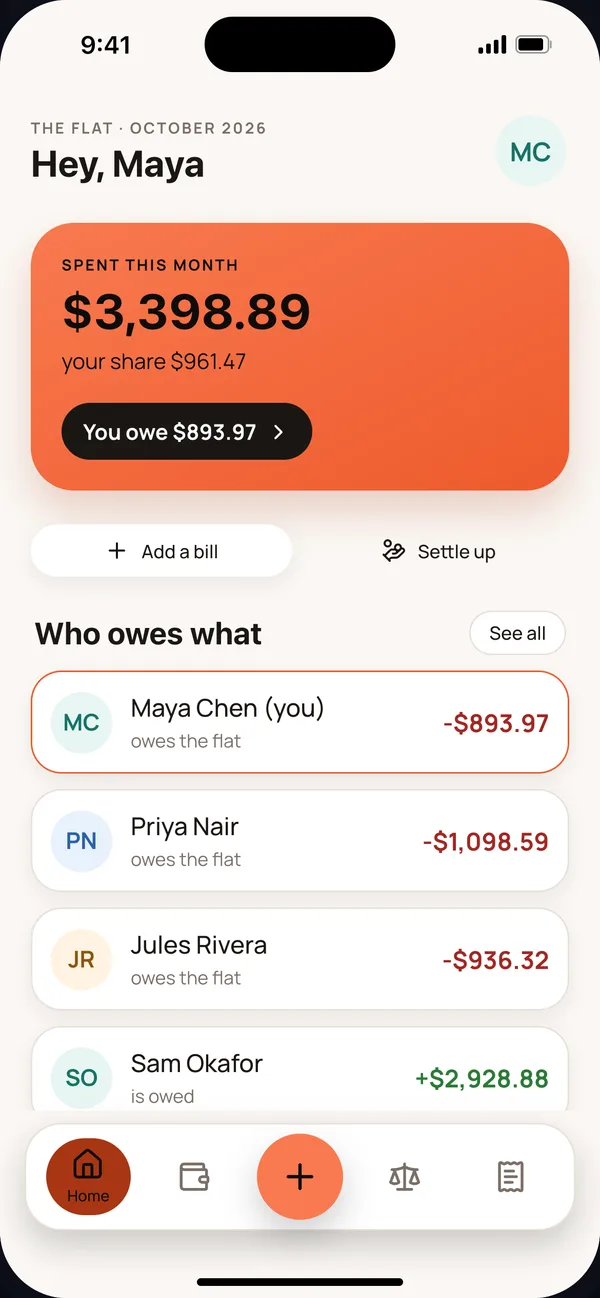
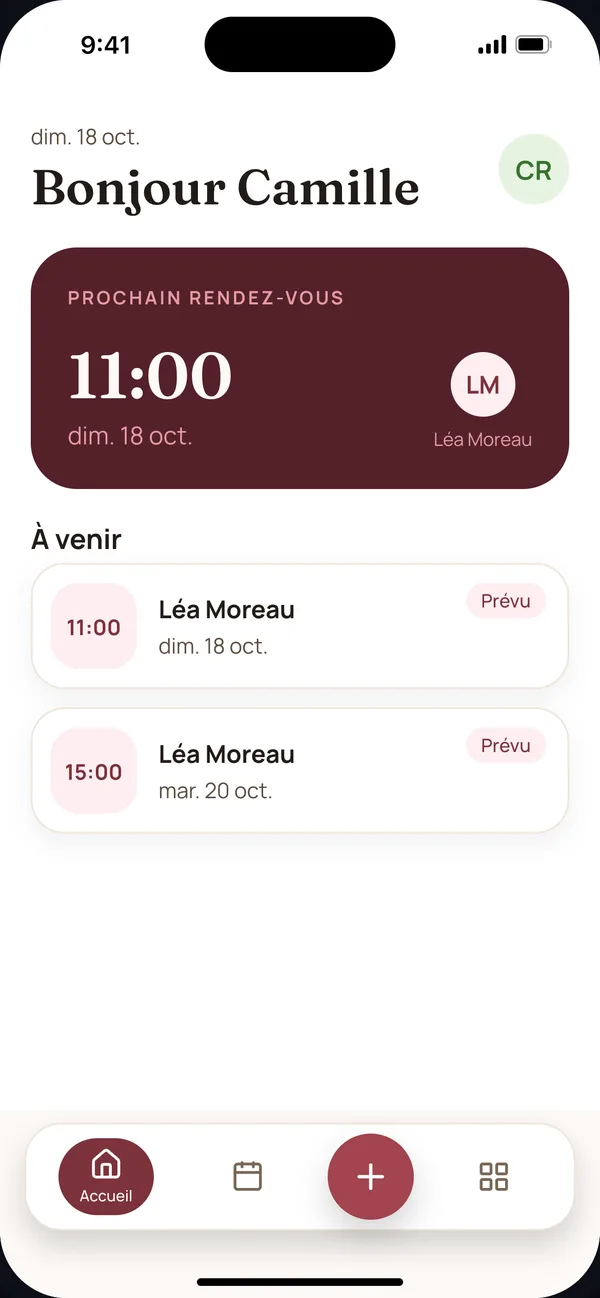
Three examples from our tests. Each was typed into Mekkapp exactly as shown, in three languages, and each phone shows the app it made. The names in them are made-up sample rows.
Fatima’s corner shop
Typed in Darija
“slm bghit application l7anout dyali nktb fiha lkridi dyal lklyan chkon khda o b chhal o imta khlss o nsift l klyan l7sab f whatsapp o nscanni lcode barre dyal sl3a bach n3rf tamanha”
Leo’s flat-share
Typed in English
“yo i need an app to split rent and bills w my 3 roommates lol. like who paid what, who owes who, snap a pic of the receipt and it reads the total, monthly chart of spending, and it pings ppl when they owe money. venmo link would be sick”
A hair salon
Typed in French
“Une application pour mon salon de coiffure. Les clients réservent un créneau avec une coiffeuse, voient leurs prochains rendez-vous et annulent si besoin. Les coiffeuses voient leur journée et marquent un rendez-vous comme fait.”
See it work
What you see while it’s made
Mekkapp’s own screens, from Sami’s app above. Nothing here is a mock-up.
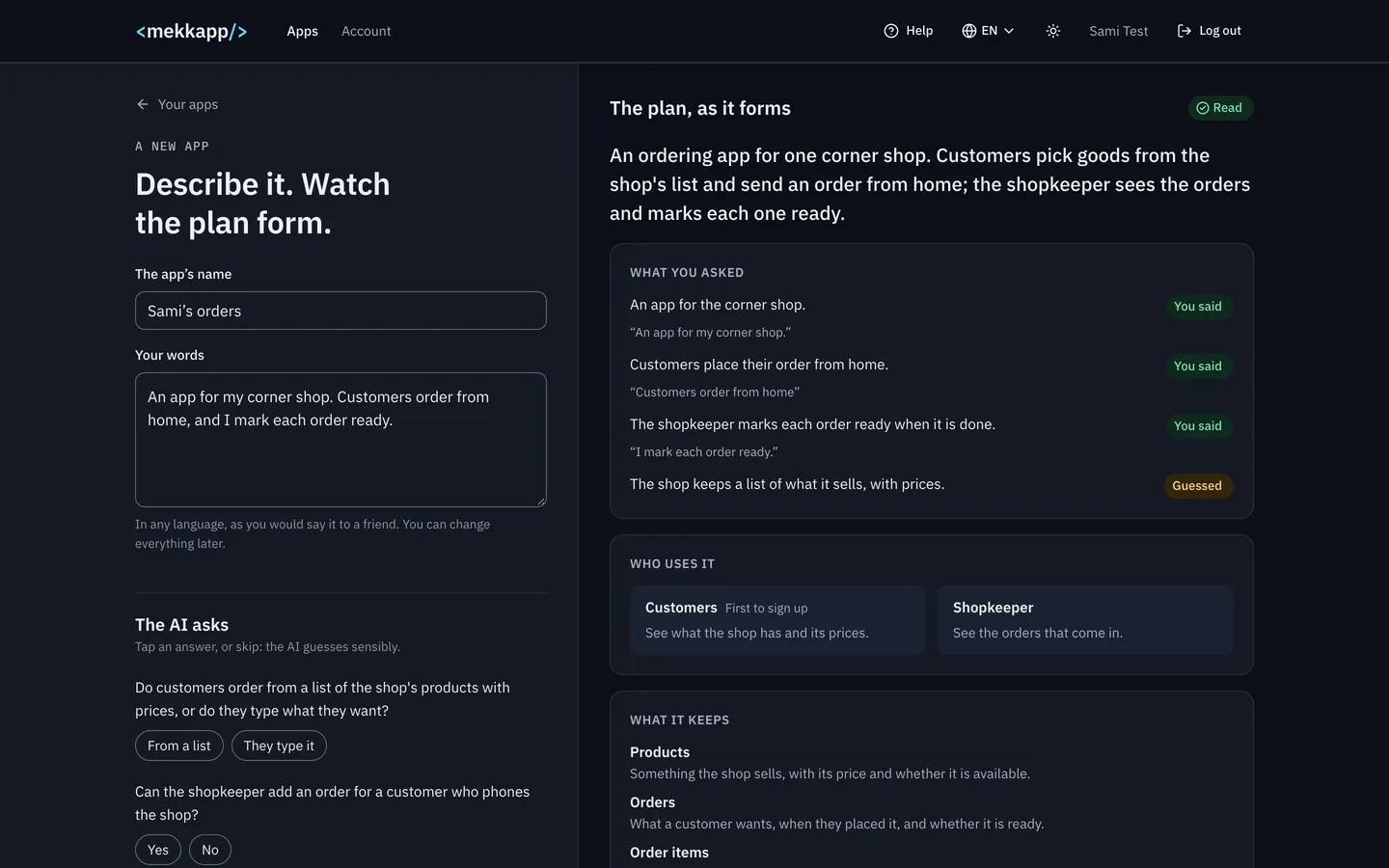
It says what it understood
Before anything is made: what you asked, each line marked “You said” or “Guessed”, who uses the app and what it keeps. It asks only what it cannot guess.
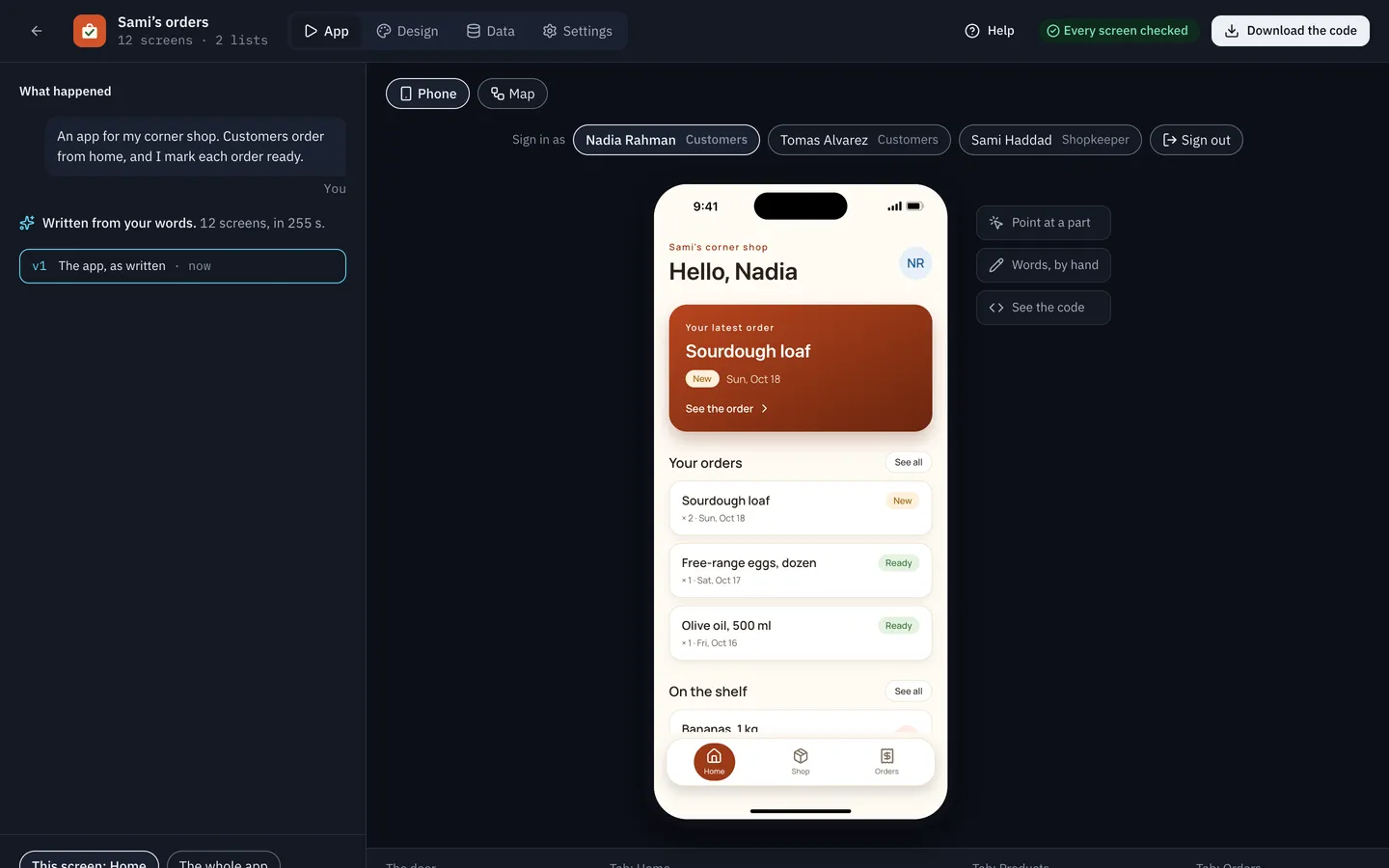
You try it, and change it in words
The app runs in a phone beside the conversation. Sign in as each sample person, point at a part, and say what to change. Every screen is checked before you see it.
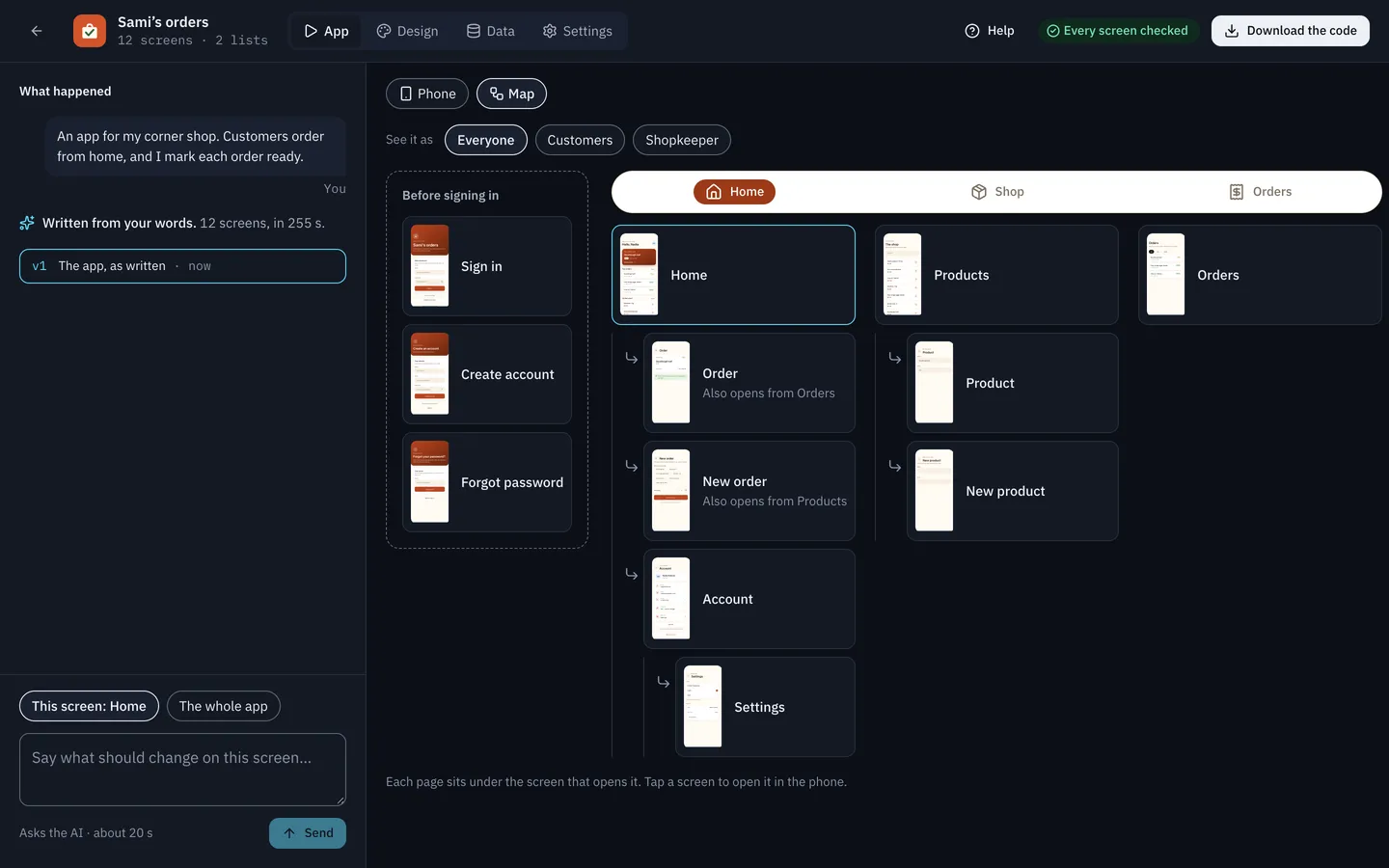
Every screen, and the way between them
The app’s map: what each kind of person sees, the tab bar, and the screens under each tab.
What “simple” holds
Every simple app needs the same first week
Mekkapp writes these for every app it makes, so you start where the work gets interesting.
- Sign-in, account creation, and a way back in after a forgotten password
- Lists that grow, with a search box and filters
- Forms the keyboard never covers
- Different kinds of people, each seeing only what is theirs
- A settings screen: light and dark, the language, deleting the account
- A privacy policy written from what the app really does
- An icon drawn for the app
- Arabic and other languages, right to left where they should be
How it works
Describe the app. Check the plan. Own the code.
- 01
Describe it
Write a few sentences in your own words. If something is unclear, the AI asks, and you tap an answer.
- 02
Check the plan
Before any code: who uses the app, what it keeps, and every screen with where it lives.
- 03
Mekkapp writes it
The AI writes each screen in React Native from parts we test at every release. The compiler checks every file before you see it.
- 04
Try it
Use the app in your browser, signed in as each sample person. Change a screen in your own words, and Undo puts it back.
- 05
Own it
Download a standard Expo project in TypeScript, or build it for Android. It runs without Mekkapp.
Why it holds up
Code you’d sign
Plan before code
You see what the AI decided, and change it, before it writes a line.
Checked, not hoped
Every file is type-checked on the server, and what the compiler finds goes back to the AI. Faint colours are fixed by code.
Words by hand cost no AI
Changing the words on a screen is a normal edit. The AI runs only when you ask it something.
Yours, with its history
A readable Expo project with an AGENTS.md that says what the AI was asked and why. No lock-in.
What works today
What works today, and what doesn’t yet
- Apps planned by AI from your words, then checked by code
- Screens written as React Native code, type-checked before you see them
- Try app in the browser, signed in as each sample person
- Changes in your own words, with Undo
- Sign-in, and data on the phone or in your own Supabase project
- Photos, barcode and QR scanning, and reminders
- Android builds to install on your phone
- The full source code to download
- An iPhone build button. You can build for iPhone from the downloaded code.
- Publishing to the App Store or Google Play
- Payments, and chat in real time, inside your app
- Emails your app sends by itself
- Several people editing one project
Questions
Straight answers
Do I need to know React Native?
No. You can make and try an app without writing code. If you know React Native, you’ll recognise everything in the download.
Who owns what I build?
You do. Download the code at any time. It runs without Mekkapp.
Which AI does it use?
A model from an outside provider. Our privacy notice names it and says what is sent. Changing words by hand never uses it.
Is it free?
Yes, during the alpha: nothing is charged.
Where is my app’s data?
On the phone, or in your own Supabase project, not ours. Your Mekkapp account and projects are stored by us. The privacy notice has the details.
Is it ready for a real launch?
Not yet. It’s an early alpha. Make something real, and tell us what breaks.
Private alpha
Tell us the “simple app” you have in mind
We let people in a few at a time, and we read every request.